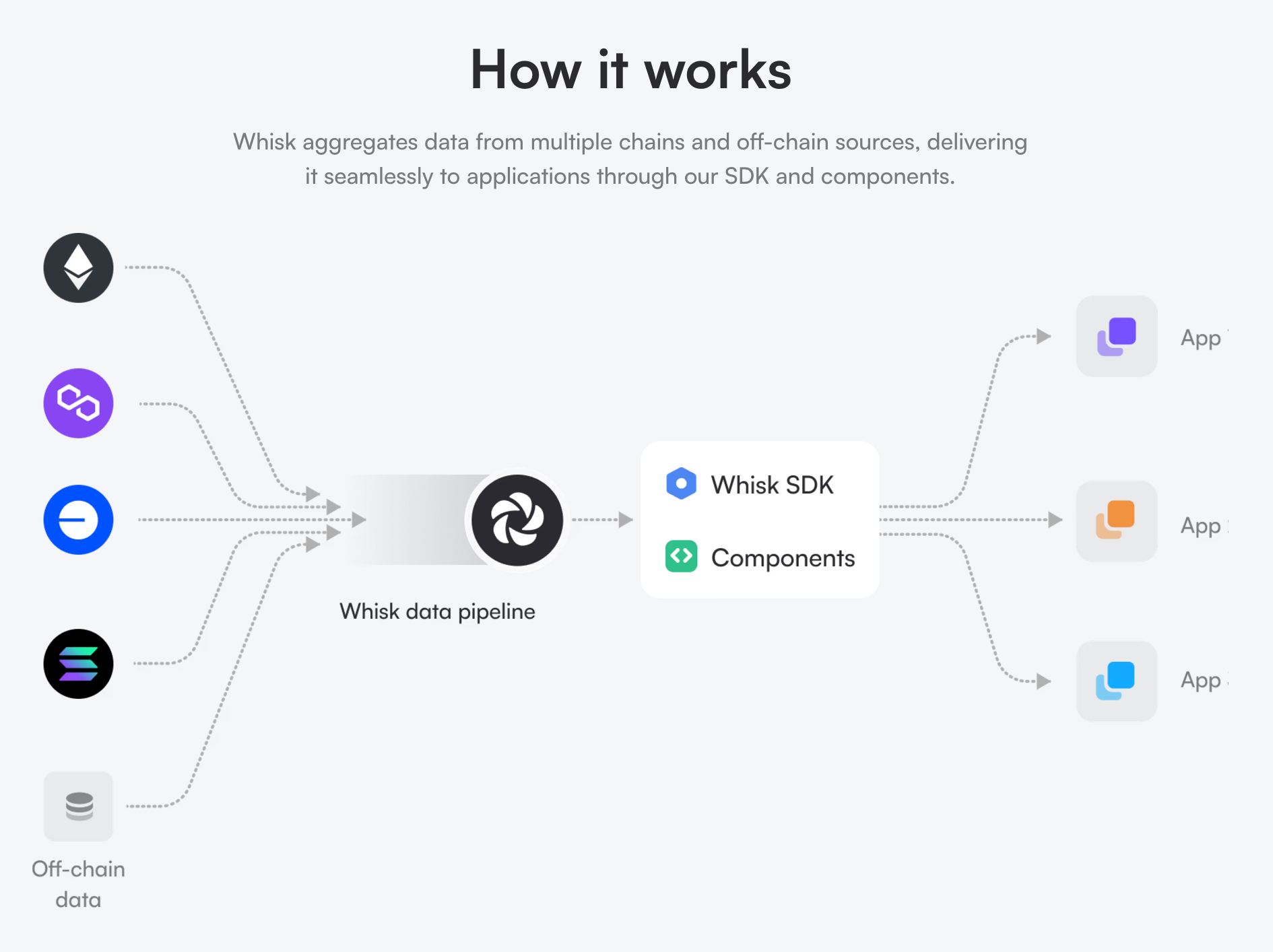
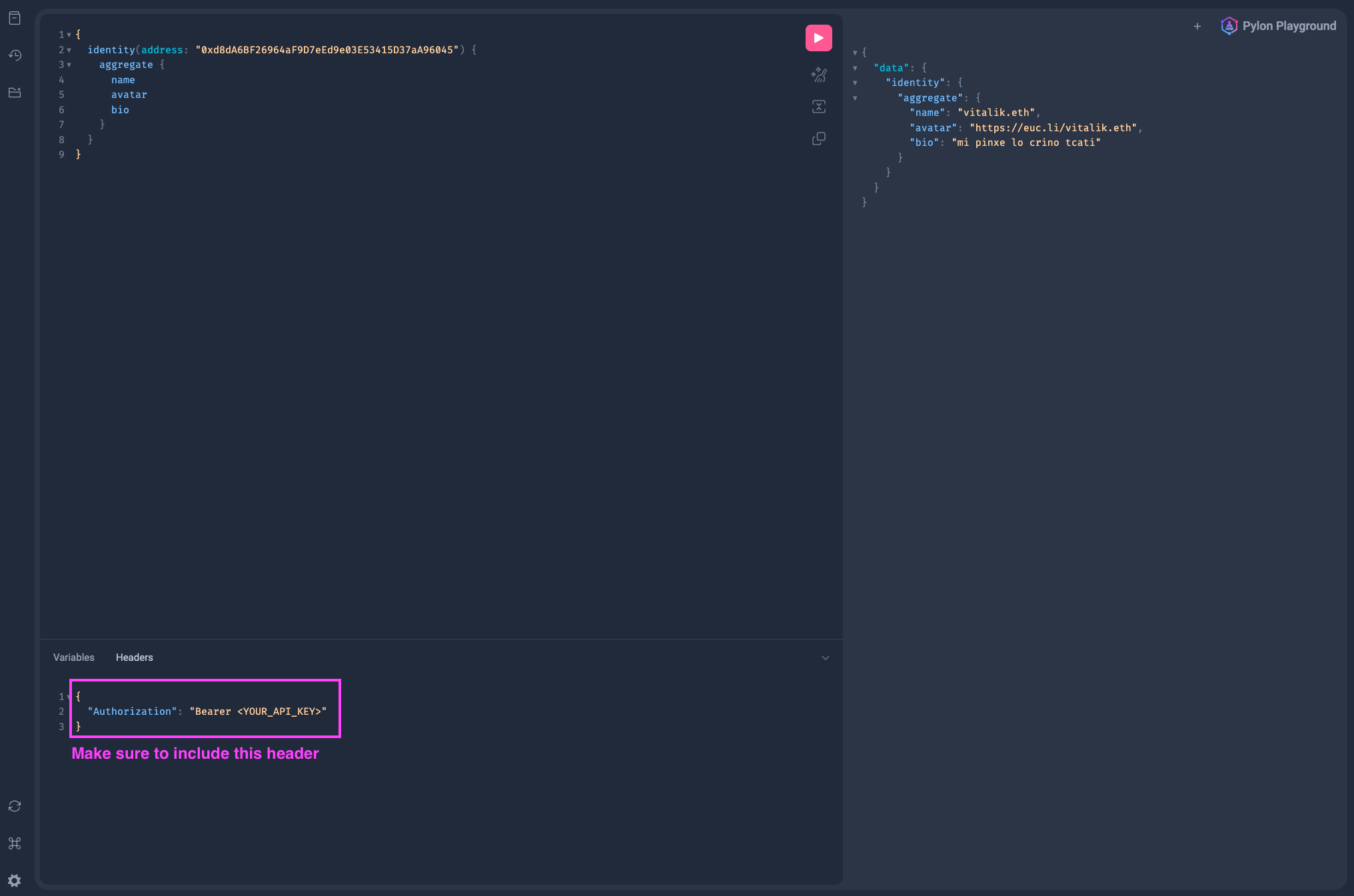
# Whisk > Simplify dApp development with modular kits for Whisk's blockchain data pipelines. ## Get Started ### Overview ![Whisk Diagram](/how-it-works.png) Whisk contains a number of kits: * Chain Kit: Chain metadata for all supported chains. * Token Kit: Metadata, prices, and balances for thousands of tokens. * Morpho Kit: Morpho vaults, markets, positions, and rewards. * Identity Kit: Resolver for crypto-native identity systems across multiple ecosystems. * And more... Don't see a kit you need? [Lets chat!](https://calendly.com/papercliplabs-spencer/meeting) ### Playground The [Whisk GraphQL playground](https://api-v2.whisk.so/graphql) is the best way to explore the APIs comprehensive schema docs, and test queries: :::steps #### Get your test API key [Book a quick call](https://calendly.com/papercliplabs-spencer/meeting) to discuss your use case, and get a trial API key to see if Whisk is the right fit for your application. {/* ### Generate API key if you haven't already The API key will be sent to your email address. This is the same key you use for the SDK. */} #### Add authorization header In the `Headers` section of the playground, add the following: ```json [Headers] { "Authorization": "Bearer " } ``` #### Query the API Try running a query like this: ```graphql [Example Query] { morphoVaults(where: {chainId_in: [137], whitelisted: true}, limit: 10) { items { name totalSupplied { formatted usd } } } ``` ::: Example of how to use the playground: ![GraphQL Example](/graphql-example.png) ### Typescript SDK The Whisk Typescript SDK provides a type-safe GraphQL client powered by [gql.tada](https://gql-tada.0no.co/). See the [SDK guide](/sdk) to get started. ## Typescript SDK The Whisk SDK provides a type-safe GraphQL client for querying the Whisk API. It uses [gql.tada](https://gql-tada.0no.co/) for full type inference on GraphQL queries — no code generation step required. ### Packages | Package | Description | | ---------------- | ------------------------------------------------------------------------ | | `@whisk/graphql` | GraphQL schema and the `graphql()` tagged template function | | `@whisk/client` | `WhiskClient` — a thin wrapper around URQL with auth and scalar handling | ### Installation :::code-group ```bash [pnpm] pnpm add @whisk/client @whisk/graphql graphql ``` ```bash [npm] npm install @whisk/client @whisk/graphql graphql ``` ```bash [yarn] yarn add @whisk/client @whisk/graphql graphql ``` ::: ### Quick Start #### 1. Create a client ```ts import { WhiskClient } from "@whisk/client" const client = new WhiskClient({ apiKey: "YOUR_API_KEY", }) ``` #### 2. Write a query ```ts import { graphql } from "@whisk/graphql" const vaultsQuery = graphql(` query GetVaults { morphoVaults(where: { chainId_in: [1], whitelisted: true }, limit: 10) { items { name totalSupplied { formatted usd } } } } `) ``` The return type of `vaultsQuery` is fully inferred from the schema — no codegen needed. #### 3. Execute the query ```ts const data = await client.query(vaultsQuery, {}) // data.morphoVaults.items is fully typed ``` ### Editor IntelliSense By default, you get full **type inference** on query results. To also get **autocomplete inside the `graphql()` template literal** (field name suggestions, inline errors), set up the gql.tada TypeScript plugin. #### Setup :::steps ##### Install the dependency gql.tada is already included as a dependency of `@whisk/graphql`, so no extra install is needed. ##### Add the plugin to your `tsconfig.json` ```json { "compilerOptions": { "plugins": [ { "name": "gql.tada/ts-plugin", "schema": "node_modules/@whisk/graphql/src/generated/schema.graphql" } ] } } ``` ##### Use the workspace TypeScript version The plugin only works with the workspace TypeScript, not VS Code's built-in version. In VS Code: `Cmd+Shift+P` (or `Ctrl+Shift+P`) → **TypeScript: Select TypeScript Version** → **Use Workspace Version**. To make this automatic for your team, add to `.vscode/settings.json`: ```json { "typescript.tsdk": "node_modules/typescript/lib", "typescript.tsdk.autoSelect": "preferWorkspace" } ``` ##### Restart the TypeScript server `Cmd+Shift+P` → **TypeScript: Restart TS Server** ::: You should now get full autocomplete and error checking inside `graphql()` template literals. ### Custom Scalars The SDK automatically handles custom scalar types from the Whisk API: | Scalar | TypeScript Type | Description | | --------- | ------------------- | ------------------------------------------ | | `Address` | `` `0x${string}` `` | EVM address | | `ChainId` | `number` | Chain identifier | | `BigInt` | `bigint` | Large numeric values (token amounts, etc.) | | `Hex` | `` `0x${string}` `` | Hex-encoded bytes | | `URL` | `string` | URL string | These are converted automatically at runtime by the client — `BigInt` fields come back as native `bigint` values, not strings.